All-in-one for Discord communities
One bot.
Every module.
Your gaming webapp.
Welcome banners, moderation, tickets, rank system, auto-roles and more – all set up through a web dashboard, ready in minutes. The Basic plan is free forever - Enterprise additionally includes a standalone gaming webapp for events, characters and roster planning, fully tailored to your guild – your own logo, banner, and colors, for any game.
Try Premium, no strings attached
Unlock automations, analytics, economy & more for 7 days - no payment details needed, no automatic transition into a paid plan.
Try it for freeHow it works
Sign in with Discord
One click, the same Discord login as everywhere else – we only see your name and which servers you have "Manage Server" on.
Choose a server
Already got the bot there? Set it up right away. Not yet? One click invites it – the same page shows the dashboard right after.
Set up modules
Welcome, moderation, tickets, rank system and more – every module toggled individually, effective immediately.
What the bot brings
54 modules – each toggled on or off individually.
Welcome
Welcome message with a generated banner when someone joins the server.
Moderation
Kick/ban/timeout commands with an optional mod log channel.
Tickets
Support ticket system with private channels, claim/transfer/priority, transcripts, and ratings.
Levels & XP
XP for messages, level-ups with an optional role reward and leaderboard.
Auto-Roles
Automatically grants one or more roles when a member joins the server.
Reaction Roles
Grants roles based on emoji reactions on a panel message.
Anti-Raid
Protection against mass joins and very new fake accounts (kick/ban/log).
Starboard
Automatically pins messages with enough reactions into a highlight channel, with self-star protection and a leaderboard.
Birthdays
Automatic birthday announcements in the chosen channel, with an optional birthday role.
Temp Voice Channels
Automatically creates a personal voice channel when joining the trigger channel (join to create).
Custom Commands
Custom text replies, callable via /command.
Confessions
Members post anonymous, numbered messages in a chosen channel.
Announcements
Send a message to any channel instantly, optionally as an embed.
 Bluesky
 Instagram· soon
 KickPodcast
 RedditRSS
 TikTok· soon
 Twitch
 X (Twitter)· soon
 YouTubeServer Stats ChannelSticky MessagesStreamer DetectionSuggestionsTemporary RolesVerificationWord Filter
💎 Enterprise – gaming webapp
For guilds with their own game: a webapp that adapts to you
Event and roster planning with a genuinely own look: your own logo, header banner, colors, and freely definable formats, roles and classes – whether it's a fantasy raid, a space fleet, or a tactical shooter. Reachable directly from every server's dashboard, included in the Enterprise plan.
- Your own branding — logo, banner & colors per guild
- For any game — your own formats, roles & classes
- Automatic event & roster assignment, no spreadsheets
- Works directly with the bot — the webapp automatically posts event announcements, group line-ups and reminders to your Discord channels
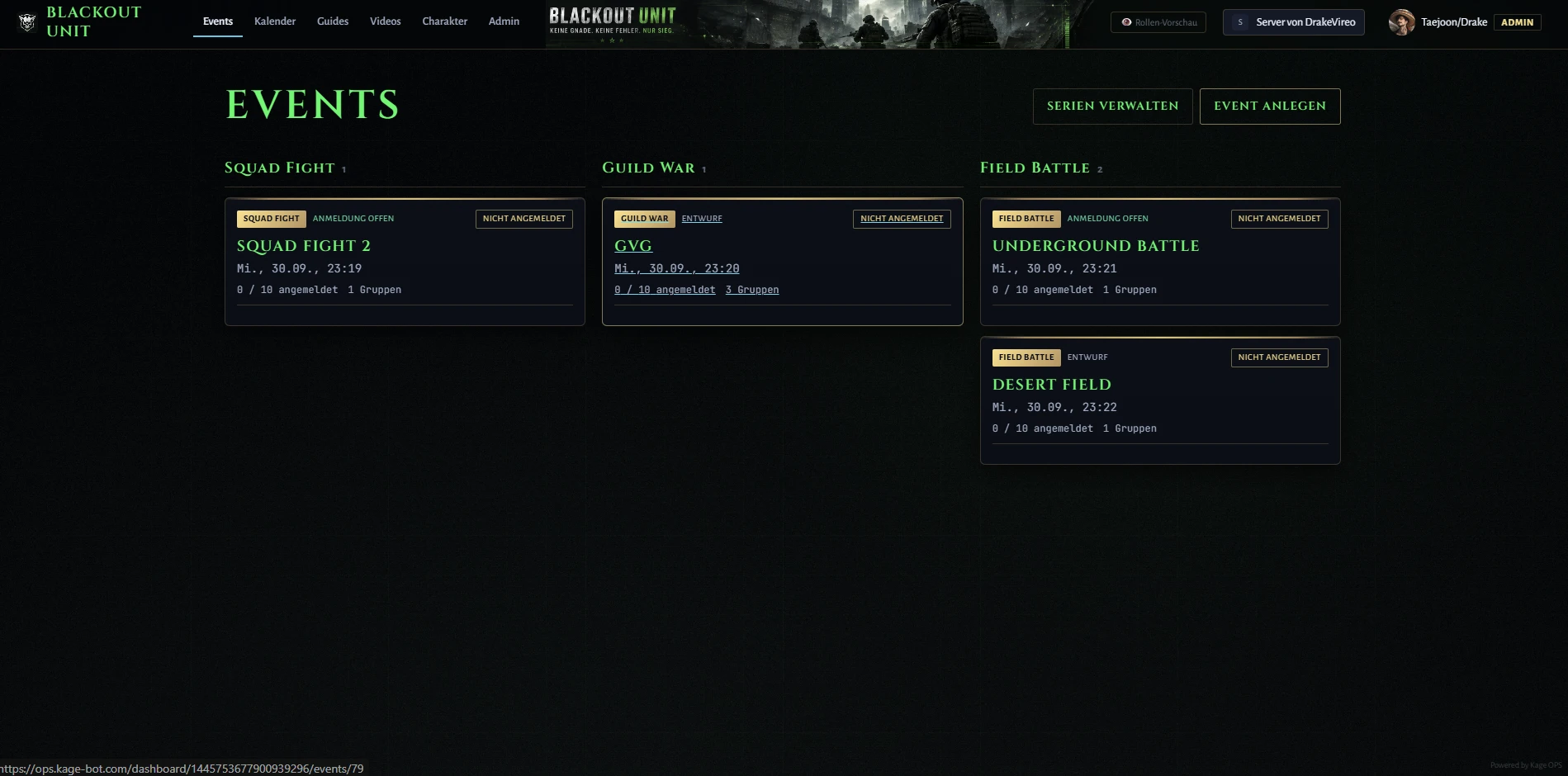
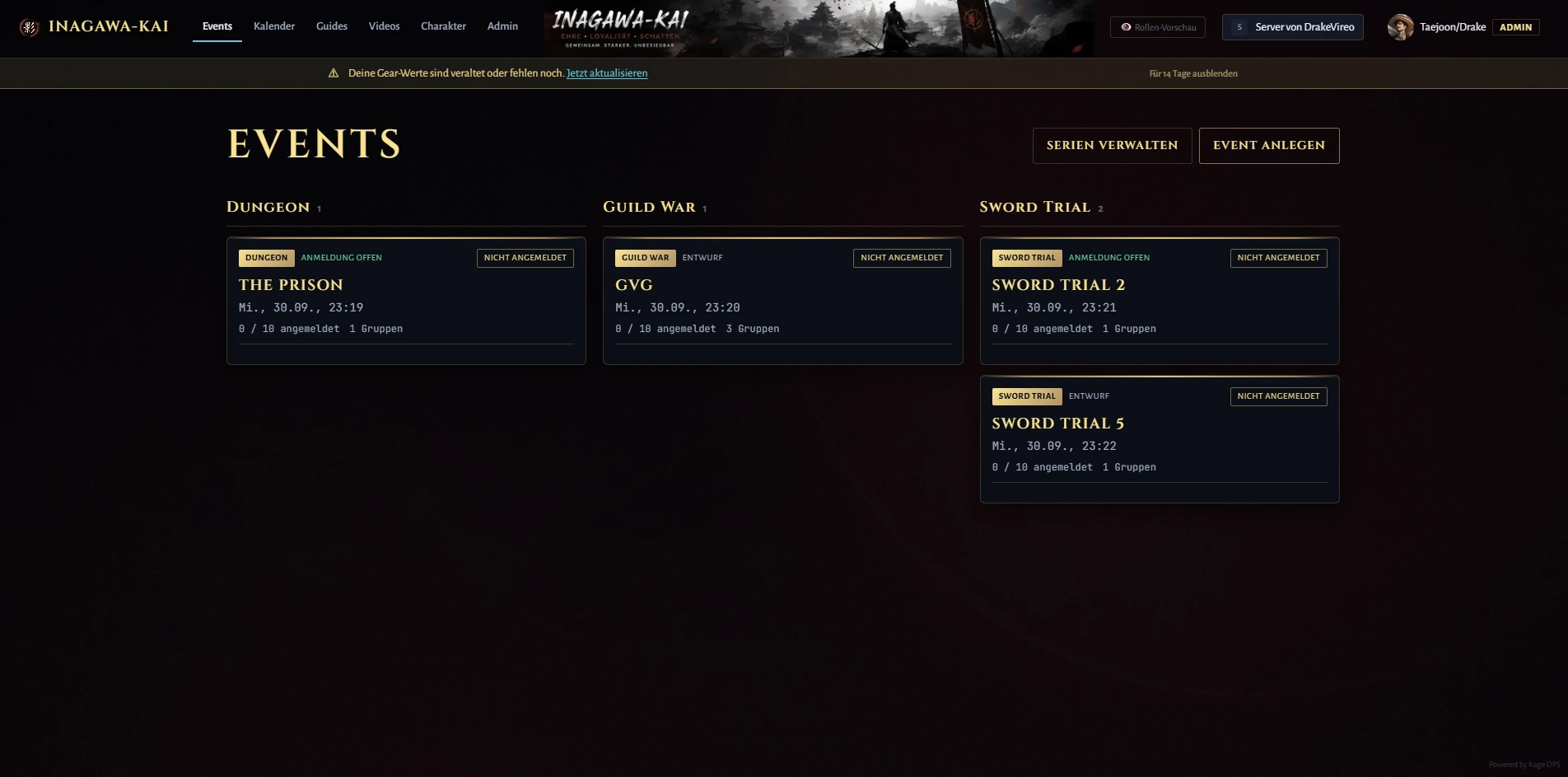
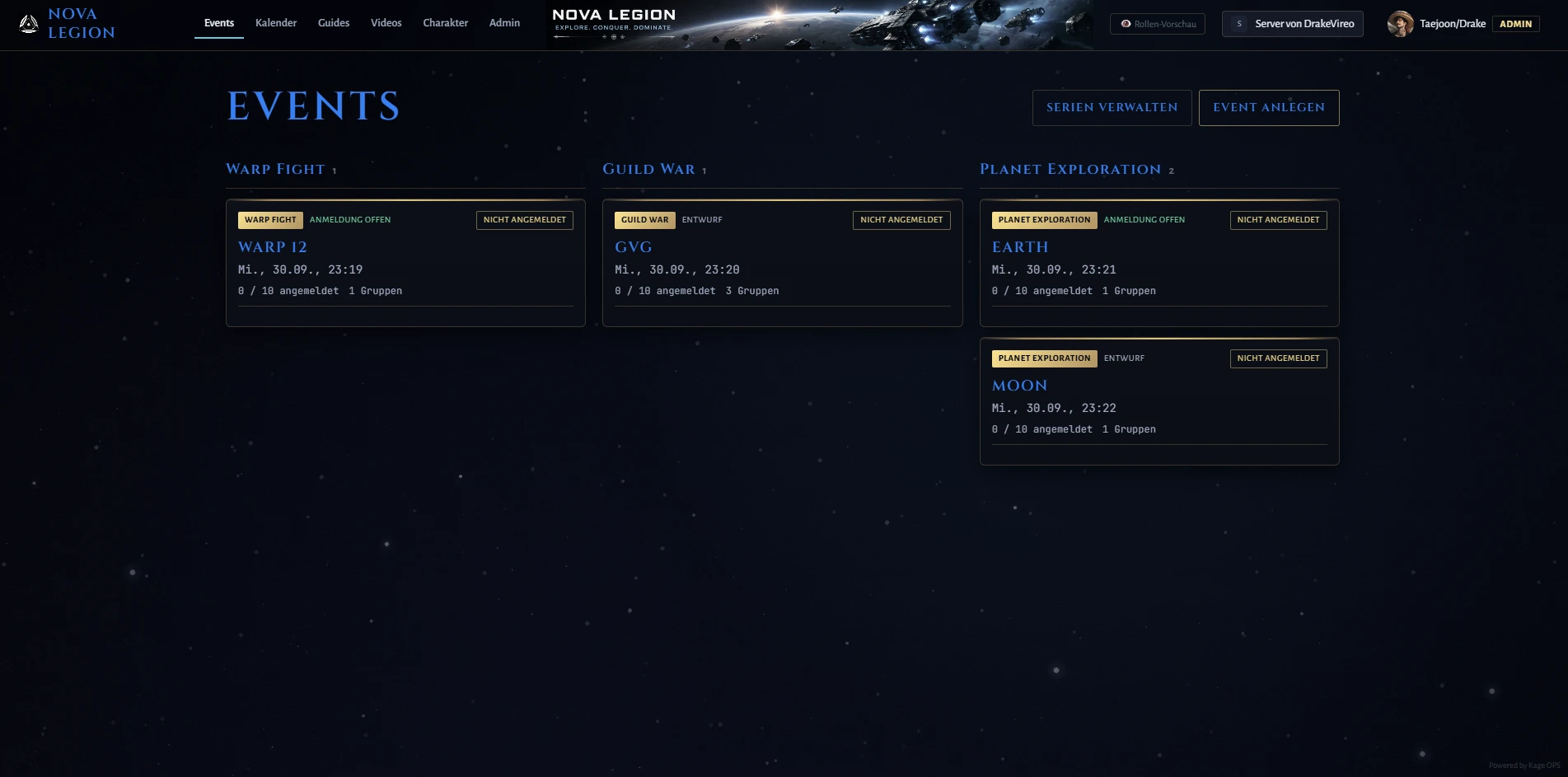
Blackout Unit — tactical shooter look with its own banner & colors
Ready to get started?
Sign in, pick your server, set up what you need.
Sign in with Discord