
How to Set Up Server Rules in Discord
Write and publish clear server rules and make them easy to find: with the rules command, a DM on join and verification.
Updated: 13 October 2026
Rules only help if members find and know them. The Rules module stores your rules text once in the dashboard. Members retrieve it with /rules, you can post it as an embed in a channel or send it to newcomers by direct message.
Quick answer: Write the Rules text in the dashboard under Rules and switch on /rules active. Members retrieve it with /rules. With Post as embed it lands permanently in your rules channel.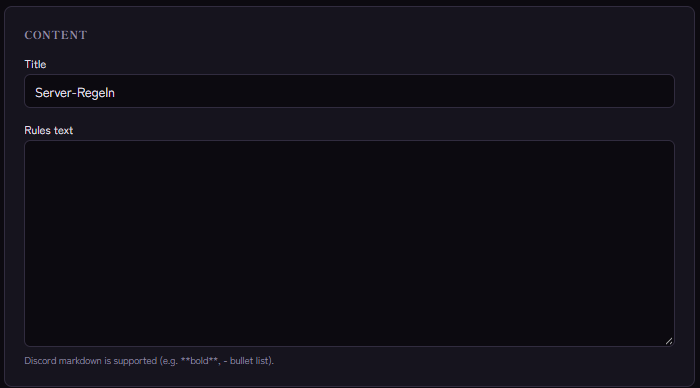
Setting it up
- Open the Rules module and switch on /rules active.
- Write the Rules text. Discord markdown is supported, for example bold and
-for bullet lists. - Set the Title (default "Server-Regeln", a German text, so set your own) and the embed colour.
- Save.
Three ways to show the rules
- On request:
/rulesshows the rules as a card in the channel, visible to everyone. - As a fixed message: under Post as embed choose a channel (for example
#rules) and click Post now. That posts the rules once as an embed. With Edit as a full embed in the embed builder you take over title, text and colour as a template and can add fields, images and buttons, see How to create Discord embed messages. - On join by DM: with Send rules by DM to new members Kage sends the rules as a direct message right when someone joins, provided the member allows DMs. This is purely informational; only verification demands a confirmation.
Writing good rules
- Short and concrete. Five to ten points, each in one sentence.
- State consequences. "Insults lead to a timeout" is clearer than "Be nice".
- Phrase positively where possible. What is wanted helps newcomers more than a list of prohibitions.
- Keep them current. Adjust the rules when the server changes.
You can additionally offer individual rule areas as a custom command.
What Discord offers natively
Community servers can store rules for join screening in the settings. That does not replace detailed rules but complements them.
If it does not work
/rulessays there are no rules. Is the module active and the text saved?- The DM does not arrive. The member has disabled direct messages from server members; Kage cannot deliver it then.
- Formatting is off. Check the markdown (blank line before lists).
FAQ
Does everyone see the answer to /rules?
Yes, the rules appear in the channel.
Can I have rules confirmed?
Yes, with verification: How to set up member verification.
Related Kage features
- RulesIncluded in Basic
- VerificationIncluded in Basic
Related articles
More on this topic: Discord Automation: How to Automate Server Management
More questions? Ask Kage AIAI
Describe what you need – Kage AI picks out the right guide and gives you the sources.
Try Kage on your server
Sign in with Discord, invite the bot and set up the modules in the dashboard. The Basic plan is free forever.